Problem 2 - Lack of Personalization
A one-size-fits-all dashboard misses what matters most.
User Testing Insight
During 1-on-1 usability testing, all 4 participants expressed a desire for more control over what information appeared on their dashboard. Most were unaware that any customization was available.
“I don't care about step count - I want blood pressure trends up front.” - Eric
“The layout feels generic. I want to make it mine.” - Tony
“I often scroll aimlessly trying to find the right stat. It's frustrating when I just want to quickly check my daily progress.” - Judy
Problem
Apple Health offers a wide range of data and the app's Summary dashboard presents the same default layout to all users. There is no onboarding to define individual health goals or preferences, and customization options are limited and not easily discoverable. As a result, the app may feel generic or irrelevant to users with diverse health priorities.
Why It Matters
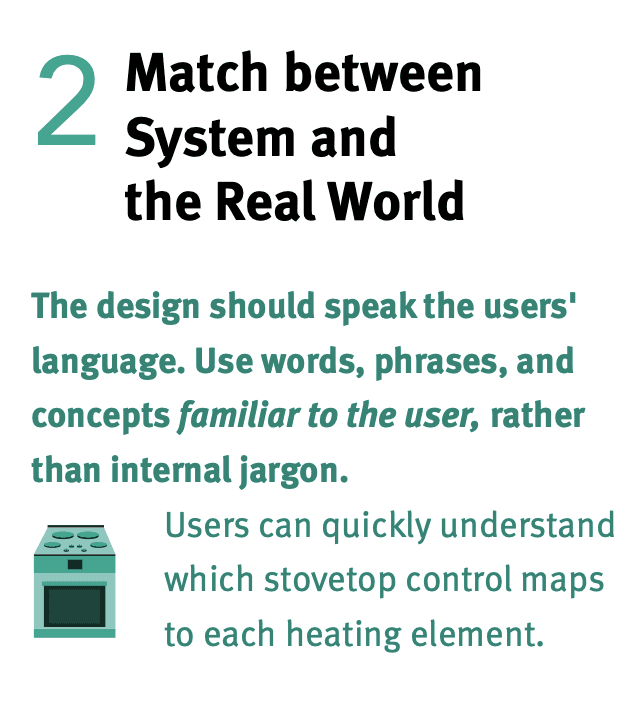
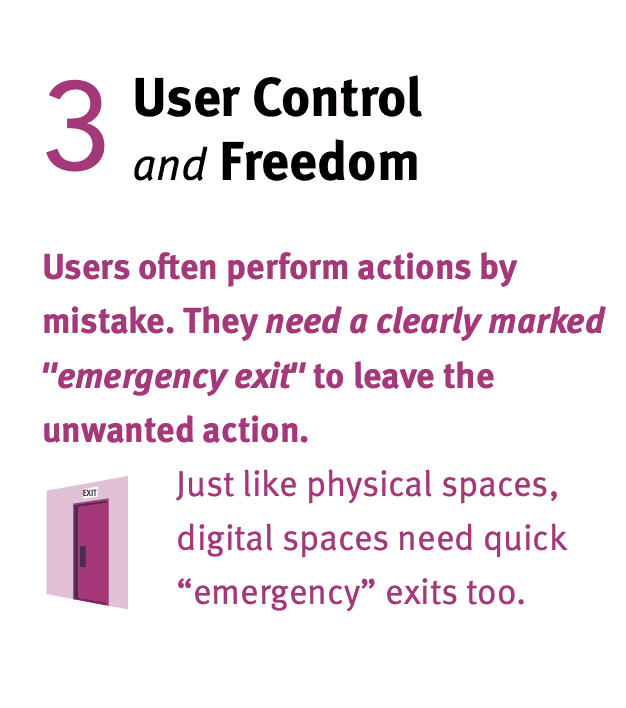
UX Heuristics
Laws of UX

Implement drag-and-drop functionality for reordering data blocks.
Let users rearrange or hide sections to match what matters to them.
Add personal health goal setting with progress tracking.
Let users select a health goal (e.g., sleep, heart, blood sugar) that influences layout priority.
Create color-coded widgets for different health categories.
Enable users to add/remix modules like medication, hydration, or mood tracking to create a more meaningful dashboard.
Introduce dynamic visual hierarchy based on user perferences.
Allowing users to drag and drop dashboard sections empowers them to create a layout that reflects their unique health priorities. This simple interaction gives users a sense of control and ownership over the app experience, making it feel more personal and intentional. By enabling users to remove or minimize irrelevant metrics, drag-and-drop also helps reduce visual clutter and improves the efficiency of navigation.
Giving users the option to set a primary health goal - such as improving sleep, managing heart health, or tracking blood sugar - helps Apple Health feel more purposeful and aligned with individual needs. Prioritizing content based on a user's selected goal makes the app experience more focused and emotionally resonant, encouraging continued engagement and supporting better habit formation over time.
Adding customizable widgets allows users to tailor their dashboard with modules that reflect their personal routines and health tracking habits. Whether it's a medication tracker, hydration reminder, or mood log, these flexible components let users build an experience that fits their lifestyle. This modularity not only boosts relevance and usability, but also strengthens the app's role as a trusted, daily health companion.
Research Insight
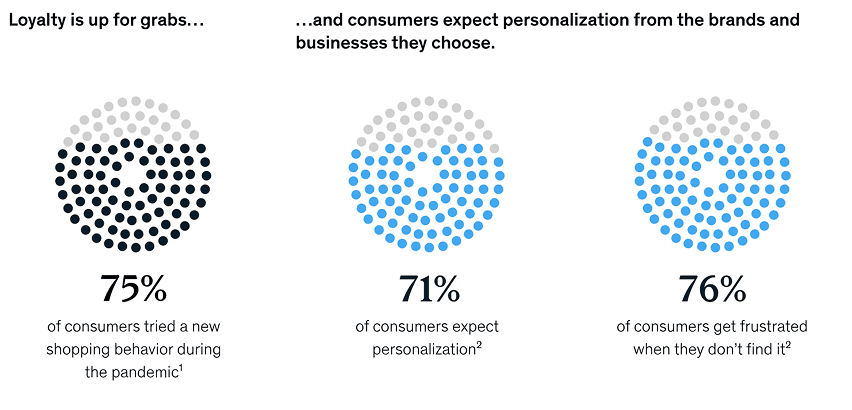
According to McKinsey, 71% of users expect personalized experiences, and 76% are frustrated when those experiences are missing.
Source: McKinsey & Company (2021), "The value of getting personalization right-or wrong-is multiplying."